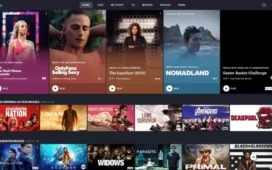
Spotify Web Player truly embraces the “music for everyone” ethos—delivering your favorite audio directly through a browser, without requiring app downloads or local installs. Whether you’re on a shared computer, a school device, or in a workplace without installing software, the web player has you covered.
What Makes the Web Player Stand Out
Seamless Access Across Devices
- No installation needed: Log in and start streaming instantly.
- Cross-platform support: Works with Chrome, Firefox, Edge, Opera, and Safari.
- Perfect for shared or restricted environments: Ideal when app installation isn’t feasible.
Familiar Spotify Interface
The web player mirrors the desktop app’s layout—Home, Search, Your Library, and Now Playing—making navigation intuitive whether you’re a longtime user or new to the platform. Plus, the UI adapts responsively to different screen sizes, including tablets and notebooks.
Spotify Connect Integration
Use the web player to control playback on other devices—like speakers, mobile devices, or TVs connected to your Spotify account. You can easily play music where it’s most convenient, without switching interfaces.
Audio Quality — What to Expect
Tier-Based Streaming Bitrates
- Free users: Up to 128 kbps (AAC).
- Premium subscribers: Up to 256 kbps (AAC).
The web player chooses the best quality automatically—there’s no manual control over bitrate, unlike some desktop apps.
Real-World Sound Notes
Users generally find the audio quality smooth and adequate for casual listening. Audiophiles may notice a difference compared to higher-bitrate desktop streaming or local files, but for everyday use, the web player strikes a solid balance between quality and convenience.
Key Features in Detail
Search & Discovery
- Powerful search: Find tracks, albums, artists, playlists, audiobooks, or podcasts.
- Smart suggestions: Autofill and history-based recommendations help you discover without typing every detail.
- Contextual results: Browse artist pages, album details, and related content directly from search.
Library Management
- Your Library tabs: Easy access to Playlists, Albums, Artists, Podcasts & Shows.
- One-click saves: Add any track, album, or podcast to your library with a simple tap.
- Playlist creation: Build playlists effortlessly and reorder tracks via drag-and-drop.
Now Playing & Queue Control
- Full Now Playing view: See album art, song info, playback controls, and progress bar.
- Queue management: Add, rearrange, or clear upcoming tracks. Queue reflects across all logged-in devices.
Lyrics Integration
Supported on many tracks, lyrics appear synchronized in real time. You can expand the lyrics pane or minimize it as needed—all without pause.
Offline Access Limitations
The web player requires an internet connection. Offline playback is currently only supported on mobile and desktop apps—not via the browser. Keep that in mind for commuting or low-connectivity sessions.
Audiobooks & Podcasts in the Web Ecosystem
- Podcasts: Full support—browse, play, follow, and resume right in your browser.
- Audiobooks: Support is more limited; some new features (like bookmarks or variable speed) may not yet be available. Still, the basics—like playback and resume—work smoothly.
Group Session (Jam) and Shared Listening
While the mobile and desktop apps fully support Group Sessions (real-time shared listening), the web player currently offers partial compatibility. You can join a Jam session, but starting or hosting one typically requires the app. That said, you can still control playback while in a session through the browser.
Advantages & Limitations
Advantages at a Glance
- Instant startup: Opening a tab is faster than downloading and installing.
- No storage concerns: Great for devices with limited or no free space.
- Device flexibility: Use anywhere with a browser and internet.
- Compact and clean: Lightweight interface that runs smoothly even on lower-spec systems.
Current Limitations to Know
- No explicit bitrate control: Let the player determine quality.
- Offline playback unsupported: A dealbreaker for offline needs.
- Partial Group Session support: Hosting a Jam still needs the app.
- Audiobook features not fully featured: Especially regarding advanced options like speed control or bookmarks.
Tips & Tricks to Upgrade Your Experience
- Use browser shortcuts: e.g., Ctrl + ←/→ to rewind or skip.
- Enable lyrics pin: Keep lyrics visible even when switching tabs.
- Combine with desktop app: Start a playlist in web, continue seamlessly on app with Connect.
- Bookmark frequently used pages: Login goes to Home by default, so bookmark playlist or album pages you frequent.
Summary Table
| Feature / Aspect | What You Get on Web Player |
|---|---|
| Access & Setup | Instant, no install, works on major browsers |
| UI | Familiar layout with Home, Search, Library, Now Playing |
| Audio Quality | Free: 128 kbps AAC; Premium: 256 kbps AAC |
| Lyrics | In-browser synced lyrics available on many tracks |
| Queue Management | Full control via browser across devices |
| Podcasts & Audiobooks | Full podcast support; basic audiobook support in browser |
| Group Sessions (Jam) | Join via web; hosting requires app |
| Offline Playback | Not available |
| Ideal Use Cases | Convenience, quick access, shared devices, lightweight use |
| Less Ideal Scenarios | High-fidelity needs, offline listening, advanced features |
FAQ — Frequently Asked Questions
- Can I use Spotify Web Player on a school or work computer without installing anything?
Yes—open the browser, go to Spotify, log in, and you can stream without any installation. - Can I adjust audio quality in the Web Player settings?
No—the Web Player automatically selects the appropriate bitrate: up to AAC 128 kbps on Free and up to AAC 256 kbps on Premium. - Is there an option to listen offline via the browser?
Unfortunately not—offline playback is limited to Spotify’s mobile and desktop apps only. - Can I use Spotify Web Player for listening parties with friends?
You can join Group Sessions via the web player, but starting or hosting one requires the app. Once joined, you can interact via the browser. - Does Spotify Web Player support audiobooks?
Yes, basic audiobook playback is supported, but some advanced features—like playback speed controls or chapter bookmarks—might only be available on the app. - Are lyrics available when using the Web Player?
Yes—many tracks have synchronized lyrics displayed in the browser. You can expand or collapse the lyrics view as needed. -
Can I seamlessly switch control from web to phone or vice versa?
Absolutely—Spotify Connect enables you to control playback across devices. Start in your browser and shift playback to, say, your phone or smart speaker instantly.